NYT games hints and secrets
I have been playing the NYT games for quite some time now. It started with the Mini crossword, before they even bought Wordle. The appeal was that it was a quick hit, about a minute, and it had a leaderboard so I could play against friends. Then they added Wordle, Strands and Connections, and it became a fun little app to have on my phone.
Then the Mini went behind a paywall. Then Wordle was put behind an unskippable ad. All of a sudden it wasn’t as frictionless or as enjoyable an experience.
So I quit. But every once in a while I’d go online to get a little hit. The games moved from my phone to the browser: still the same games, with less friction (other than the Mini, which unfortunately still requires a paid account).
Of course, working in web dev and SaaS, I often happen to have the network tab open. One day I opened Wordle with the network tab up and realized that right there, coming in over the network in plain text, was the answer to the puzzle. Plain as day.
So I started poking around and realized that a lot of these games have their solutions coming in over the network. It looks something like this:
Wordle
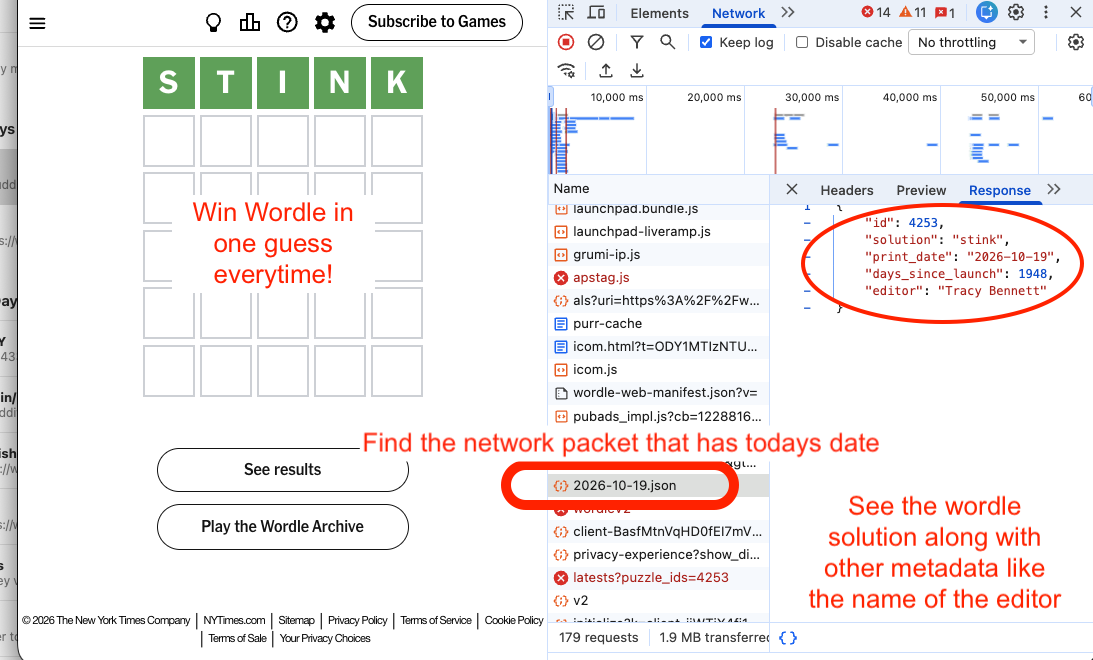
With Wordle it’s pretty simple. A JSON object comes in with the puzzle ID, the solution, the date and the editor (it seems like it’s always Tracy Bennett). There’s also a field called days_since_launch. Does anyone know why they have this one? Reach out and let me know.
Connections
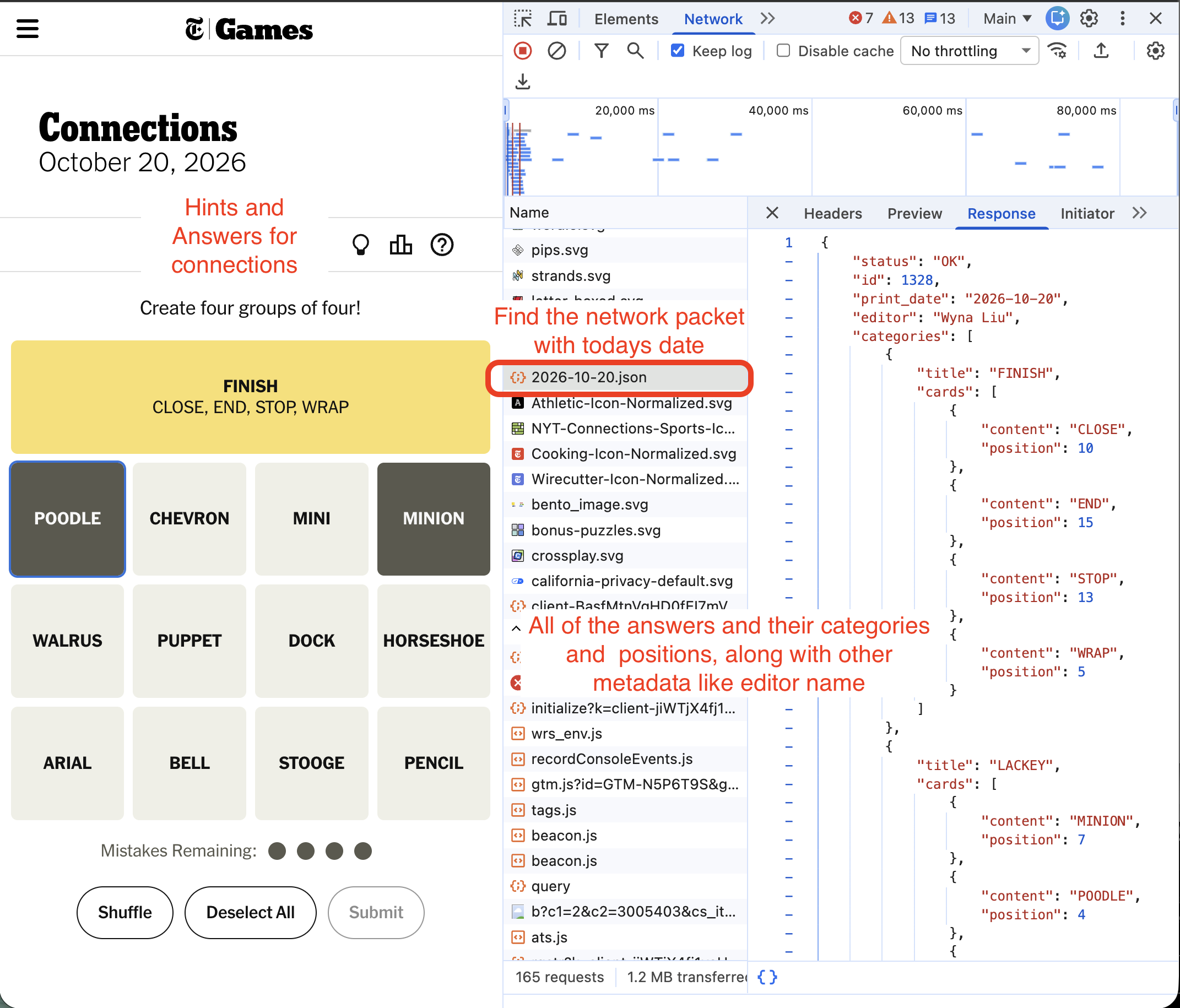
Connections is fairly simple. There is a 4 by 4 grid of 16 words or phrases, and 4 categories they fit into. You have to figure out which 4 go in which category.
Luckily, it’s all there in the network tab: an array of objects, each with the title of a category followed by the words in that category and their positions on the grid.
There are probably some cool extensions I could build for the game off this information. If you have any ideas, let me know!
Strands
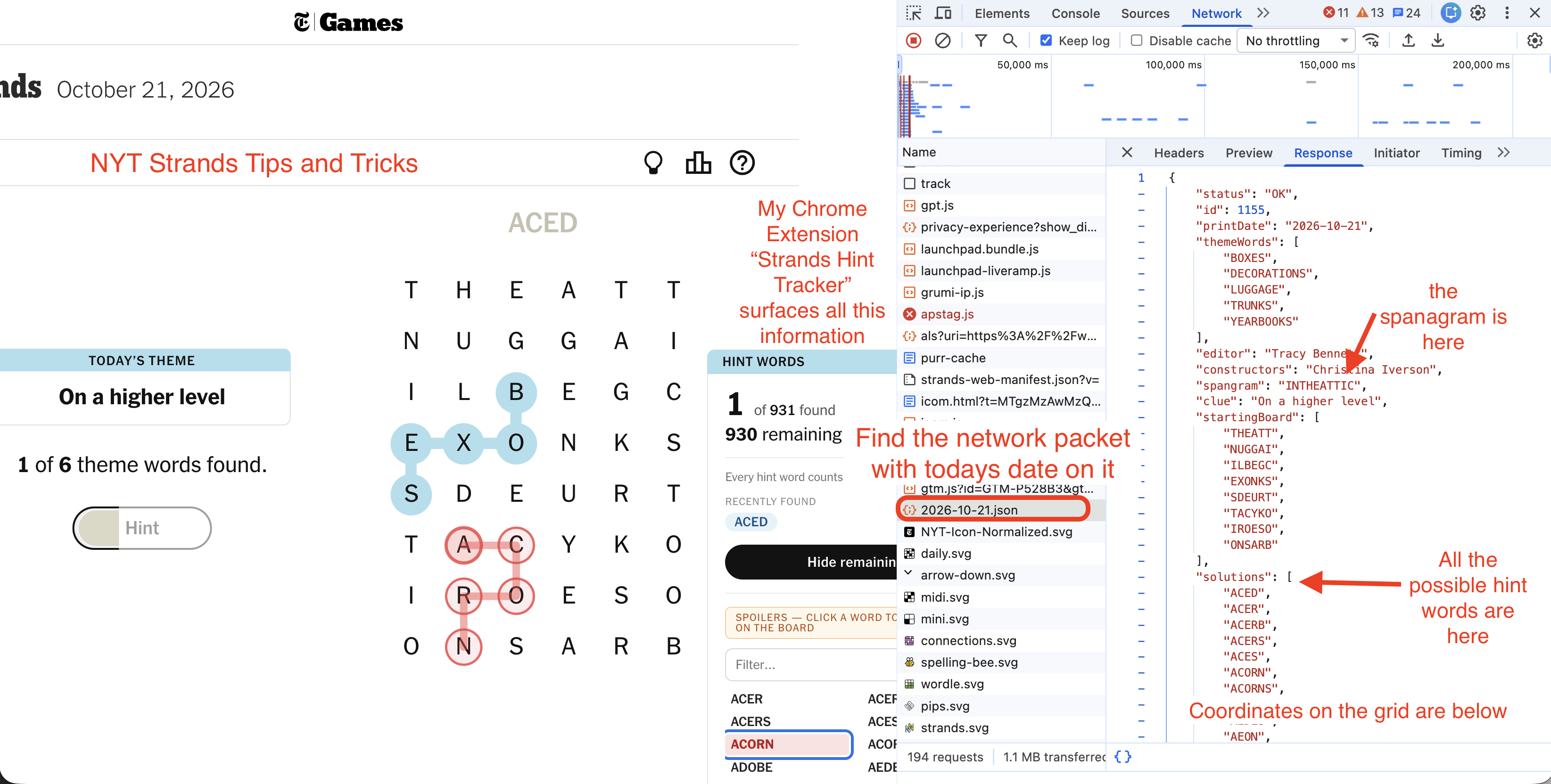
Strands is a little more complicated. It comes over with the theme words and the startingBoard, which is the grid of letters for the word search. Then it has an array of every possible valid word on the board.
This is something I was very interested in. I’ve always felt that the Strands game was missing a way to count the total number of words found. You have 6 to 8 theme words to find, and any word you find outside of those works toward your hints. Every 3 words found unlocks another hint. But nothing keeps track of how many of those words are possible, how many you have found and how many you have left.
I wanted something like this, so I built it. Check out my Chrome extension, Strands Hint Tracker, which surfaces exactly that information. It really expands the game!
If you have any thoughts you’d like to share, or ideas for new extensions for these games, let me know. And please leave my Strands extension a review, it helps. It seems like it’s got some active users already, so tell me who you are!